What is a Custom 3D Printed Mouse and Why Personalization Matters?
- Share
- Issue Time
- Apr 14,2026
Summary
Learn what custom 3D printed mice are, why personalization matters, and explore professional manufacturer solutions, real customization cases, ergonomic design, and tailored production for users.
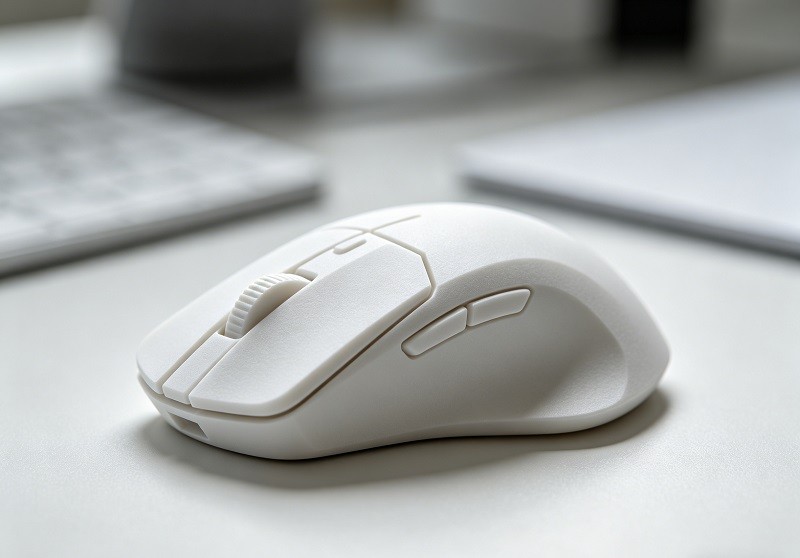
I've always been one to tinker, especially when my daily tools don't quite fit my needs, or when a furry friend decides to interfere with them. That's exactly what happened with my trusty Apple Trackpad, leading me down an unexpected but incredibly rewarding path: designing and building my very own custom 3D printed mouse, the "Saucer," for my Voyager keyboard. This journey wasn't just about solving a problem; it was about exploring how personalization through DIY custom 3D printed mouse solutions can truly transform your workspace.
My Journey to a Custom 3D Printed Mouse: Solving a Feline-Induced Problem
The path to innovation often begins with a simple, everyday annoyance. For me, that annoyance had a name, a tail, and a penchant for walking across my desk at the most inconvenient times. My journey into the world of custom peripherals started not with a desire for a new gadget, but with a need to solve a problem created by my feline companion.
The Everyday Struggle with My Trackpad
As many who work from home with pets can attest, the line between an efficient workspace and a pet-friendly zone can be blurry. While having a pet nearby can reduce stress and loneliness, it also introduces unique challenges. My primary pointing device was an Apple Magic Trackpad, and its large, touch-sensitive surface was an irresistible playground for my cat.
When Cats and Cursors Don't Mix: My Motivation
The problem was maddeningly specific. A casual stroll by my cat across the trackpad could send my cursor flying, accidentally click on links, close windows, or worse. On several occasions, my cat managed to trigger a sequence of gestures that left my trackpad in a non-functional state, requiring a restart to fix. This wasn't just a minor distraction; it was a consistent interruption to my workflow, turning a tool designed for productivity into a source of frustration. Locking the computer or disabling the trackpad were temporary fixes, but they were cumbersome and broke my concentration. The motivation was clear: I needed a pointing device that was less susceptible to "unauthorized paw input" while remaining ergonomic and efficient for my needs.
Seeking a Personalized Answer for My Keyboard Setup
My desk setup is centered around a Voyager, a split ergonomic keyboard. This type of keyboard is itself a testament to the power of personalization, allowing for a more natural hand and wrist posture. However, it also presents a challenge for traditional mouse placement. Reaching for a standard mouse or even the trackpad felt disruptive, breaking the ergonomic flow I had worked so hard to achieve.
I needed a solution that could integrate seamlessly with my existing setup. The idea was to have a pointing device that was always within reach, minimizing hand travel and maintaining a consistent, comfortable posture. This desire for a tailored solution is common among enthusiasts who build their own PCs and customize their setups to reflect a specific style or workflow. It’s about creating a system where every component is chosen for a specific purpose, maximizing both comfort and efficiency.
My Vision for a High-Quality, DIY Custom 3D Printed Mouse Experience
My goal crystallized: to design and build a small, integrated pointing device that would attach directly to my Voyager keyboard. It needed to be high-quality, reliable, and something that could be replicated by others in the DIY community. This wasn't just about making something for myself; it was about creating a blueprint for a personalized experience.
The vision was for a device that:
- Integrated directly with the keyboard: To eliminate the need for reaching.
- Was cat-proof: A smaller, less exposed sensor would be less tempting for curious paws.
- Used high-quality components: For a smooth and responsive user experience.
- Was a DIY project: Empowering others to build their own and tailor it to their liking.
This project was a deep dive into the world of custom peripherals, a field where makers and tinkerers are constantly pushing the boundaries of what's possible, creating unique tools that mainstream manufacturers often overlook. It was an opportunity to blend my skills in design and electronics to craft a solution that was truly my own, a process that promises a unique sense of accomplishment.
The Initial Prototype of My Custom 3D Printed Mouse: Learning from Pogo Pins
With a clear vision in mind, the first step was to turn the concept into a physical object. This initial phase was a deep dive into rapid prototyping, where I would learn not only about the immense potential of 3D printing but also about the unexpected technical challenges that can arise, particularly when dealing with the fine mechanics of custom electronics.
Embracing 3D Printing and Modeling for a Unique Solution
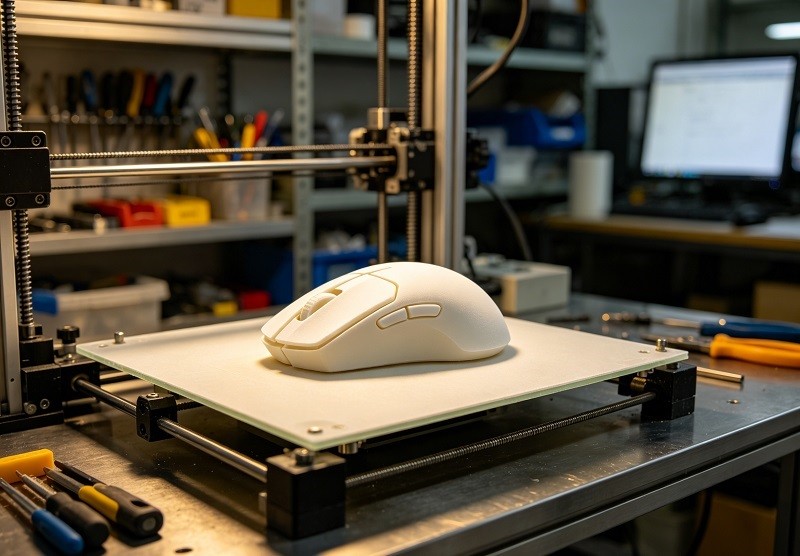
3D printing is a cornerstone of the modern DIY movement, offering a way to create physical objects from digital designs with unprecedented speed and affordability. For this project, it was the perfect tool. It allows for rapid iteration—the ability to design a part, print it, test it, and then quickly make modifications for the next version. This process, which once required expensive tooling and long lead times, can now happen overnight on a desktop machine.
I chose Autodesk Fusion 360 as my modeling software. It's a powerful and professional-grade tool that's free for personal use, making it accessible to hobbyists and makers. The workflow involved taking precise measurements of the electronic components—the sensor, switches, and a small microcontroller—and designing a custom enclosure around them. My first design, the "Saucer," was a small, circular puck-like device intended to house a BlackBerry trackball sensor. The goal was to create a compact, ergonomic shell that would seamlessly connect to the side of my keyboard. Using 3D printing meant I could experiment with complex shapes and internal structures, like mounting posts and channels for wiring, that would be difficult to create with traditional methods.
The Technical Hurdles of a Custom 3D Printed Mouse
While creating the 3D printed shell was relatively straightforward, integrating the electronics proved to be more complex. My initial concept for connecting the mouse to the keyboard involved using pogo pins. These are small, spring-loaded electrical connectors prized for their durability and compact size. They are often used in applications requiring frequent connections, like charging docks and testing jigs. My idea was to create a dock on the side of the keyboard with one set of pogo pins and a corresponding set of contact pads on the mouse. This would allow the mouse to be easily attached and detached.
However, I quickly ran into problems. The main issues were:
- Alignment: Pogo pins require precise alignment to make a solid connection. Even a slight misalignment could result in a lost connection or intermittent functionality. Achieving this level of precision with a hand-attachable, 3D-printed device was extremely difficult.
- Mechanical Stability: While pogo pins are durable, they can be sensitive to lateral forces or excessive movement. I found that the magnetic attachment system I was using wasn't strong enough to prevent the mouse from wiggling slightly, which was enough to disrupt the pogo pin connection.
- Complexity for DIY: The design required building a custom pogo pin assembly into both the keyboard and the mouse. This added a significant layer of complexity to the project, making it less accessible for someone who might want to replicate it.
Why the Pogo Pin Concept Wasn't the Right Fit for a Personal Custom 3D Printed Mouse for Everyone
The pogo pin approach was a valuable learning experience. It taught me that a solution that works in a high-precision, industrial context doesn't always translate well to a DIY project intended for wider adoption. Pogo pins are excellent for what they are designed for—high-cycle, reliable connections in controlled environments. However, they introduce strict mechanical tolerances that can be hard to meet with consumer-grade 3D printers and manual assembly.
Furthermore, a key goal was to create a design that was not only functional for me but also easy for other Voyager keyboard users to build. The pogo pin system failed this test. It would have required users to perform significant modifications to their keyboards and deal with the finicky nature of the pogo pin alignment. Recognizing these limitations was a critical turning point; it sent me back to the drawing board in search of a more robust, user-friendly, and universally applicable connection method. The perfect solution needed to be both electrically sound and mechanically forgiving.
Refining the Design: How TRRS Revolutionized My Custom 3D Printed Mouse
The failure of the pogo pin prototype was a blessing in disguise. It forced me to reconsider the core connection technology and led me to a much more elegant, robust, and user-friendly solution. The answer lay in two well-established technologies: the I2C communication protocol and the humble TRRS audio jack.
Discovering the Versatility of I2C and TRRS for Custom 3D Printed Mouse Integration
I2C (Inter-Integrated Circuit) is a serial communication protocol that is perfect for on-board and short-distance communication between microcontrollers and peripherals. Its primary advantages are its simplicity and efficiency; it requires only two wires—a serial data line (SDA) and a serial clock line (SCL)—to connect multiple devices. Each device on the I2C bus has a unique address, allowing a single master device (like the keyboard's microcontroller) to communicate with numerous slave devices (like the mouse sensor) without needing extra select lines. This makes wiring incredibly simple and is a standard feature on most modern keyboards that support add-on modules.
The next piece of the puzzle was how to physically make this connection. The answer was the TRRS (Tip-Ring-Ring-Sleeve) connector. This is the 4-conductor 3.5mm plug commonly used for headphones with microphones. It provides four separate electrical pathways in a single, secure, and widely available connector. A TRRS cable could easily carry the four signals I needed:
- SDA (Serial Data)
- SCL (Serial Clock)
- VCC (Power)
- GND (Ground)
Using a standard TRRS cable and jacks was a breakthrough. It's a mechanically strong connection that's easy to plug and unplug, and it completely eliminates the alignment and stability issues I faced with pogo pins. While TRRS connectors aren't specifically designed for high-speed data or power and can risk shorting if unplugged while live, the low speed of I2C and the contained environment of the keyboard make it a viable and practical solution for this DIY application.
Building a Universal Custom 3D Printed Mouse for All Voyager Users
This new approach fundamentally changed the project's scope. By leveraging the existing I2C and TRRS ports built into every Voyager keyboard, my custom mouse was no longer a one-off modification. It was now a universal accessory that any Voyager owner could build and use without any permanent changes to their keyboard.
This concept of creating universal, modular accessories is a powerful one in the custom keyboard community. Enthusiasts are always looking for ways to expand the functionality of their boards, and designing a peripheral that uses a standardized interface makes it accessible to a much wider audience. My design could now be shared as an open-source project, with the confidence that anyone with a 3D printer and some basic electronic skills could replicate it successfully.
The Simplified, User-Friendly Construction of My Custom 3D Printed Mouse
The refined design is a masterclass in simplicity, built around a handful of easily sourced components and a 3D-printed enclosure. The assembly process is straightforward, designed to be accessible even for those new to DIY electronics.
Core Components:
- 3D Printed Case: A two-part shell (top and bottom) that snaps together.
- Pimoroni Trackball: A small, integrated module with a tiny trackball and an I2C interface, which serves as the heart of the mouse.
- TRRS Jack: A panel-mount TRRS jack that gets installed into the 3D-printed case.
- Wiring: Four short wires to connect the trackball module to the TRRS jack.
The construction process involves minimal soldering—just four points to connect the trackball to the jack. Many DIY electronics kits now come with pre-crimped or pre-soldered components to make assembly even easier for beginners. The trackball module fits neatly into a dedicated slot in the bottom case, the TRRS jack is secured, and the top case snaps on. That's it. The mouse is then simply connected to the Voyager keyboard's TRRS port with a standard audio cable.
This user-friendly design philosophy transforms the project from a complex engineering challenge into a fun and rewarding weekend build, much like assembling a custom mechanical keyboard. It empowers users to create their own personalized tools, fostering a deeper connection with the technology they use every day.
The Practicality of a Custom 3D Printed Mouse: Who Benefits from Personalization?
Creating a functional tool is one thing, but understanding its real-world application is another. The "Saucer" trackball mouse is not a universal replacement for every pointing device, but for a specific set of users and tasks, it represents a significant improvement in ergonomics and workflow efficiency. Its journey from concept to reality highlights the broader conversation around personalization in our digital workspaces.
Adapting to Your New Custom 3D Printed Mouse: The Learning Curve and Settings
Switching to any new input device, especially an unconventional one like a small trackball, involves an adjustment period. Some users adapt within a few days, while for others, it might take a couple of weeks to rebuild muscle memory. This was true for the Saucer as well. Initially, moving the cursor felt awkward and less precise than with a traditional mouse I had used for decades. The key is patience and a willingness to fine-tune the settings.
Two critical settings make all the difference:
- DPI (Dots Per Inch): This is a hardware setting on the mouse sensor that determines its base sensitivity. A higher DPI means the cursor moves further for the same physical movement of the trackball.
- Sensitivity/Acceleration: This is a software setting in your operating system that acts as a multiplier for the DPI input.
Finding the right balance is a personal journey. I experimented with different combinations until the cursor movement felt intuitive—slow enough for precise clicks but fast enough to traverse the screen without excessive motion. Disabling mouse acceleration, which can make movements feel unpredictable, is often a good starting point for achieving consistent control.
Ideal Use Cases for My Personalized Custom 3D Printed Mouse
The Saucer excels in scenarios where quick, secondary pointer access is more important than high-speed, pixel-perfect accuracy. Because it's integrated directly into the keyboard, there is zero travel time for your hand, which is its greatest strength.
This mouse is ideal for:
- Programmers and Writers: For quickly navigating code, scrolling through documents, or clicking on UI elements without ever taking your hands far from the home row.
- General Productivity: Tasks like managing emails, browsing the web, and clicking through application menus become more fluid.
- Users with Limited Desk Space: Since the trackball is stationary, it requires no extra desk real estate, making it perfect for small or cluttered workspaces.
- Ergonomics Enthusiasts: For those looking to minimize repetitive strain by reducing large-scale arm and wrist movements, an integrated trackball offers significant benefits.
In essence, it serves as the perfect companion to a keyboard-centric workflow, handling all the small pointing tasks that would otherwise interrupt your typing flow.
When a Dedicated Mouse is Still Essential, Even with a Custom 3D Printed Mouse
It's equally important to acknowledge the limitations of a small, integrated trackball. For certain tasks, a high-quality, dedicated mouse is still the superior tool.
A traditional mouse remains essential for:
- Gaming: Especially in fast-paced First-Person Shooters (FPS), the speed, precision, and dedicated buttons of a gaming mouse are non-negotiable.
- Graphic Design and Photo Editing: Tasks requiring sustained, precise control—like drawing complex vector paths, retouching photos, or sculpting in 3D—are better served by a high-DPI ergonomic mouse or a graphics tablet.
- High-Bandwidth Clicking Tasks: Any work that involves thousands of continuous clicks and drags over a long period may still be more comfortable with a full-sized ergonomic mouse designed to support the entire hand.
The Saucer is not meant to replace the specialized tools of gamers and artists but to complement the workflow of a writer, coder, or general office worker.
The Pride of Craftsmanship: My Journey Building a Custom 3D Printed Mouse
Beyond its practical applications, this project has been a source of immense personal satisfaction. There is a unique psychological benefit to building your own tools. This process transforms you from a passive consumer into an active creator, fostering a deeper connection with the objects you use every day.
Completing a DIY project, whether it's simple crafting or a complex electronics build, provides a tangible sense of accomplishment that can boost self-esteem and reduce stress. Seeing an idea evolve from a sketch to a digital model and finally to a functional object on your desk is incredibly rewarding. It’s a physical reminder of your creativity, problem-solving skills, and patience. This journey with the Saucer has not only solved a practical problem but has also reinforced the value of personalization and the joy of making.

Frequently Asked Questions (FAQ)
1. What is a custom 3D printed mouse?
A custom 3D printed mouse is a computer pointing device where the outer shell, and sometimes internal structural components, are created using a 3D printer. This allows for a high degree of personalization in terms of ergonomics, shape, size, and button layout. Often, these projects involve sourcing electronic components like a PCB (Printed Circuit Board), sensor, and switches separately and integrating them into the custom-printed housing. This approach is popular in the DIY and maker communities for creating peripherals tailored perfectly to an individual's hand or specific workflow.
2. How much does it cost to build a 3D printed mouse?
The cost can vary significantly based on the complexity and components used. A simple project like the Saucer can be very affordable, with the primary costs being the trackball module (around $15-$20), a TRRS jack and cable (under $10), and the 3D printing filament (a few dollars' worth). More complex projects that use high-end gaming sensors (like a Pixart 3360), programmable microcontrollers, and custom-designed PCBs can range from $50 to over $100, not including the cost of the 3D printer itself. Kits are also available that bundle all the necessary electronics, simplifying the sourcing process.
3. What skills do I need to build my own mouse?
The required skill set depends on the project's complexity. For a straightforward assembly using a pre-existing design and kit, you'll need:
- Basic Soldering: To connect wires to components like switches or jacks. Many beginner-friendly kits are designed to minimize or even eliminate this step.
- 3D Printing Knowledge: Understanding how to operate a 3D printer, slice a model, and troubleshoot basic print issues.
- Simple Assembly: The ability to follow instructions and carefully assemble small electronic and mechanical parts using tools like screwdrivers and tweezers.
For designing a mouse from scratch, you would additionally need skills in 3D modeling (using software like Fusion 360 or Blender) and potentially electronics design and programming if creating a custom PCB.
4. Why is ergonomic personalization so important for mice?
Ergonomic personalization is crucial because a one-size-fits-all approach doesn't work for human hands. Everyone's hand size, grip style, and daily tasks are different. A standard mouse might force the wrist and forearm into a twisted, unnatural position, leading to repetitive strain injuries (RSI), carpal tunnel syndrome, or general discomfort over long periods. Personalizing a mouse—whether through a vertical design, a trackball, or a custom-shaped shell—allows the user to maintain a more neutral posture. This reduces muscle strain, improves comfort, and can ultimately boost productivity by minimizing fatigue and pain.
5. What are the best materials for 3D printing a mouse?
The choice of material depends on the desired finish, durability, and ease of printing. The most common filaments include:
- PLA (Polylactic Acid): This is the most popular choice for beginners. It's easy to print, comes in a vast range of colors, and provides good rigidity and detail. It is perfect for prototypes and general-use mice.
- PETG (Polyethylene Terephthalate Glycol): PETG offers better durability, heat resistance, and flexibility than PLA. It's a great all-around choice for a final, functional mouse that needs to withstand daily use.
- ABS (Acrylonitrile Butadiene Styrene): Known for its high strength and impact resistance, ABS is very durable. However, it can be more challenging to print, often requiring an enclosed printer to prevent warping. It can be smoothed with acetone vapor for a glossy, injection-molded look.
- Resin (SLA/DLP printing): For the highest level of detail and a smooth surface finish right off the printer, resin is an excellent option. It's ideal for creating highly intricate or professional-looking enclosures, though parts may be more brittle than those printed with FDM filaments.
Conclusion
Developing this custom 3D printed mouse, the Saucer, has been a challenging yet incredibly fulfilling project for me. It began as a humorous solution to a feline-related problem but evolved into a serious exploration of an integrated, keyboard-centric pointing device. This journey underscores the power of personalization, demonstrating how we can tailor our essential tools to fit our unique workflows, physical needs, and even our quirky home situations with precision.
The process of designing, prototyping, and refining the Saucer has been a powerful reminder that we are not limited to the one-size-fits-all solutions offered by mass-market products. With accessible technologies like 3D printing and a wealth of information shared within the maker community, we are empowered to become creators and problem-solvers. I hope my experience inspires you to look at your own workspace and consider how a custom 3D printed mouse or other personalized DIY solutions could enhance your comfort and efficiency in daily use. I encourage you to share this story and think about what you could build to make your own digital life better.